
 Get the latest Pharma insights, Straight to you on WhatsApp
 Join Channel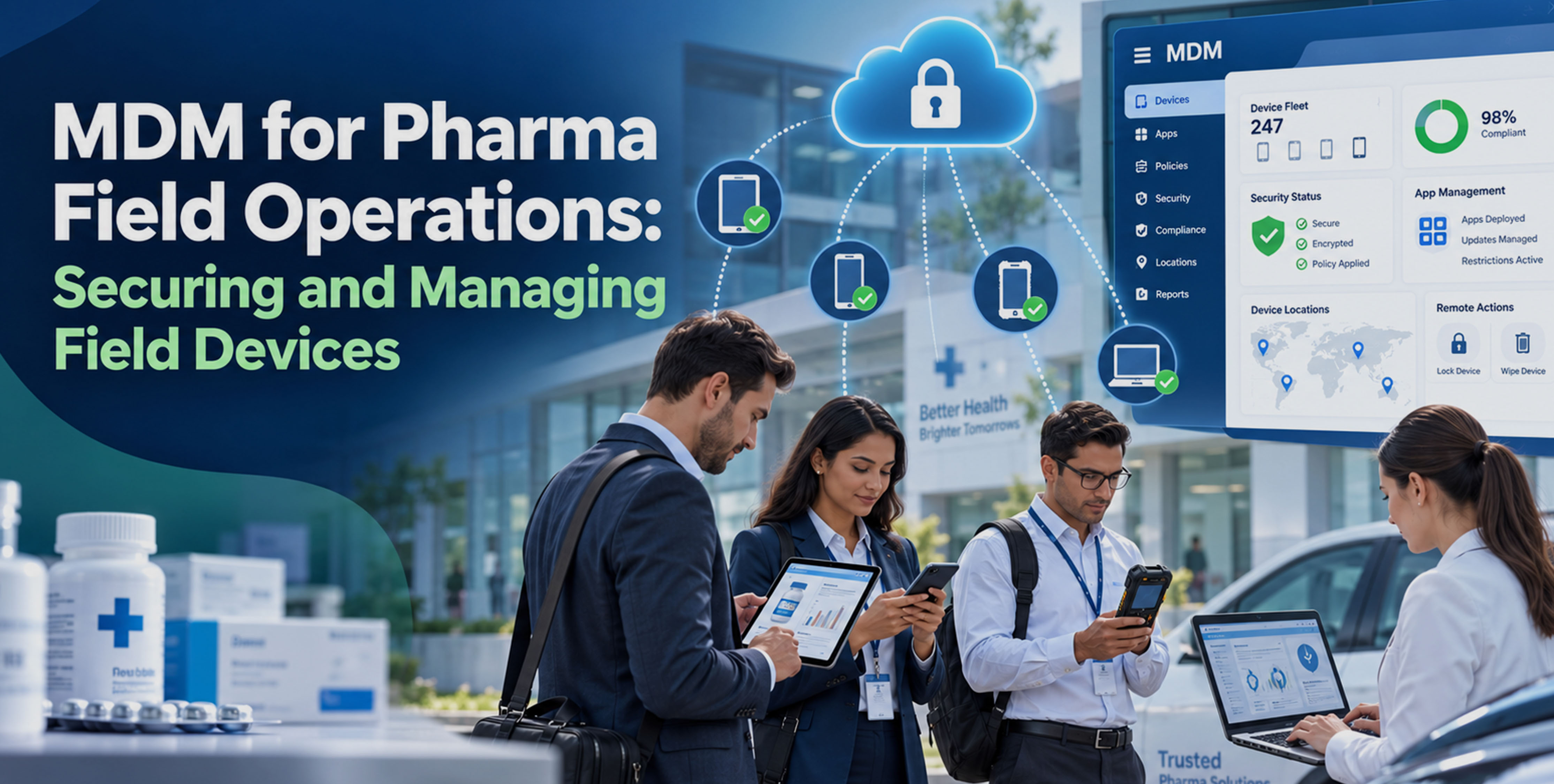
A medical representative may rely on a tablet to access product information, record customer visits, submit reports, and communicate with the organization. Another employee may need a replacement device after a hardware failure, while a regional team may need a business app updated across its devices. If a device is lost, the information stored on it may also need to be secured quickly.
These situations create some recurring and others device or user-role specific IT tasks across pharmaceutical field operations. With employees working across territories and using different types of endpoints, managing every device individually can become difficult to sustain.
Let’s see how an mobile device management (MDM) for pharma field operations provides a centralized approach to managing these devices, apps, security settings, and device lifecycle activities.
What is MDM for pharma field operations?
MDM is a solution that allows organizations to manage company-owned or managed mobile devices through a centralized platform.
MDM for Healthcare is commonly used to manage devices that support healthcare-related operations, from clinical and administrative workflows to mobile workforces. In pharmaceutical field operations, this can include smartphones, tablets, and laptops used by medical representatives, sales teams, regional managers, and other employees. MDM can support app management, device configuration, security policies, remote administrative actions, inventory, and lifecycle management.
For organizations with different endpoint types, a multi-OS MDM or Unified Endpoint Management (UEM) platform can also support management across different OS and devices such as Android, iOS, Windows, macOS, ChromeOS, Linux, printers, and other healthcare industry-specific devices.
Why pharma field operations need MDM
Field employees depend on their devices for routine business activities, but the devices themselves are only one part of the challenge. IT teams also need to keep required apps available, maintain appropriate security settings, prepare replacement devices, and maintain accurate records as devices move between employees, departments, and patients.
These requirements become harder to manage as the field workforce grows. A process that works for a small number of devices can create significant administrative effort when IT has to repeat the same tasks across hundreds or thousands of endpoints.
MDM helps bring these recurring device-management activities into a consistent process.
How MDM supports pharma field operations
1. Centrally manage distributed field devices
A pharmaceutical organization may assign devices according to territory, sales team, or employee role. As the fleet grows, IT needs a reliable way to identify managed devices, their assigned users, and their current status.
MDM provides a centralized device inventory that helps IT organize and manage field endpoints according to organizational requirements.
2. Deploy and manage required apps
Field representatives may depend on CRM, reporting, communication, or product-related apps to complete their work. When an app needs to be introduced or updated, relying on individual employees to perform the installation can result in inconsistent versions across the fleet.
MDM allows IT teams to distribute, update, and remove apps on supported devices, helping field employees receive the software required for their roles.
3. Secure business data on mobile devices
A lost tablet or smartphone can create a data-security concern, particularly when it contains business information or access to organizational resources.
MDM can apply platform-supported security settings such as authentication requirements, device restrictions, and encryption policies. On supported devices and enrollment methods, IT teams may also be able to remotely lock or wipe a device when necessary.
4. Standardize device configurations
A pharmaceutical company may have different device requirements for medical representatives, regional managers, and other field roles. Giving every employee an identical configuration may result in unnecessary apps or settings, while configuring devices individually increases IT effort.
Role-based configurations allow IT teams to apply appropriate settings and apps to groups of devices based on their business requirements.
5. Manage devices remotely
Field employees can encounter issues with apps, device settings, or other endpoint functions while carrying out their daily work. IT teams may need to investigate or address these issues without taking the device out of service.
Supported remote actions allow administrators to perform certain maintenance and troubleshooting tasks, apply changes, and assist with device issues from the management platform.
6. Track devices throughout their lifecycle
A field device does not remain with the same employee forever. Devices may be reassigned when employees change roles, replaced after hardware failures, or retired when they reach the end of their useful life.
MDM maintains device records throughout these stages, helping IT teams keep track of assignments, device status, replacements, and retirement.
MDM use cases in pharma field operations
Medical representative devices:
Manage tablets and smartphones used for customer visits, reporting, communication, and business apps.
Distributed sales teams:
Maintain visibility across devices assigned to employees working across different territories.
Lost or misplaced devices:
Apply supported security actions when a company-managed device is lost.
Device replacement:
Prepare replacement devices with the apps and settings required for the employee's role.
Windows endpoints:
Include Windows device management when field employees use laptops alongside mobile devices.
Multi-OS environments:
Manage field endpoints running different operating systems through a multi-OS MDM or UEM platform.
Patch management:
Manage applicable OS and app updates to help keep supported field endpoints aligned with organizational update requirements.
What to look for in an MDM solution for pharma field teams
Multi-OS device support:
Support required OS used across the field device fleet.
App management:
Tools for distributing, updating, and removing required apps.
Remote device management:
Supported administrative and troubleshooting actions.
Security policy enforcement:
Platform-supported authentication, restrictions, and encryption settings.
Device inventory and reporting:
Visibility into device assignments, status, and management information.
Role-based configurations:
Different device settings and apps for different field roles.
Scalability for geographically distributed teams:
The ability to manage growing device fleets across multiple territories.
Keep pharma field devices ready and secure
For pharma organizations, field devices are part of the infrastructure that keeps representatives and other mobile teams connected to the business. When device management becomes fragmented, routine changes such as deploying an app, replacing a device, or responding to a security issue can create unnecessary operational overhead for IT. A well-defined MDM strategy gives teams a consistent way to handle these requirements as the field workforce grows.
Scalefusion supports this approach with multi-OS device management across Android, iOS, Windows, macOS, ChromeOS, and Linux. It brings device, application, security, remote, and lifecycle management into a single platform. Scalefusion provides IT teams a common management layer for the different endpoints used across pharma field operations.